SaaS Customer Support Explained for Modern Support Teams

Preetam Das
November 14, 2025
9 min
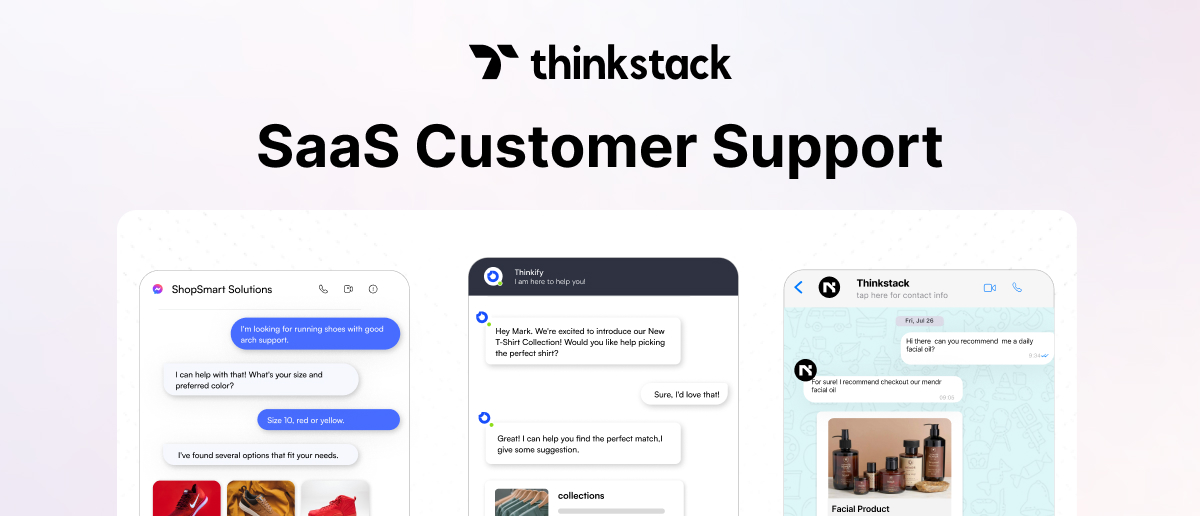
Table of Contents
In SaaS, customer support has a direct impact on retention, expansion, and renewal. Even strong products lose ground when response times slip or feedback loops fail to function properly.

Posts like this surface everywhere because teams know support matters, but few have a clear structure for running it well.
- 90% of buyers consider customer service a deciding factor in their purchase.
- Acquiring a new customer costs roughly 5 times as much as retaining an existing one.
- 96% of users facing high-effort experiences become disloyal or churn.
- 94% of users who experience low-effort interactions are likely to repurchase or renew.
For SaaS support leaders, these numbers set the stakes. Retention, renewal, and product feedback all hinge on support performance.
In a subscription model, every interaction affects retention. With constant updates and rising user expectations, data-driven support isn’t just a service; it’s what sustains growth.
SaaS businesses are entering a new phase where vertical AI agents are reshaping how software is built and supported. These systems automate specific workflows and adapt using real product data, which means customer support can’t stay limited to ticket resolution.
Customer expectations are clear: they want to solve problems fast, in one place, without repeating information. Customer self-service and omnichannel customer support make that possible.
A strong knowledge base and in-app guidance resolve most queries instantly, while integrated channels ensure escalations stay contextual and fast.
The result is lower effort for users, less noise for agents, and tighter feedback loops for the product. Every interaction is product data, showing where users struggle, which workflows fail, and what design debt keeps tickets returning.
When support insights feed directly into product and QA cycles, teams fix faster, scale leaner, and retain more without added cost.
Support becomes operational leverage.
Core KPIs for SaaS Customer Support
| KPI | Why it matters and how to use it |
|---|---|
| Customer Effort Score (CES) | Track CES right after major interactions (support closure, onboarding, feature use). Use it to identify high-value segments facing friction and fix those workflows first. |
| First Contact Resolution (FCR) | Low FCR usually means knowledge gaps, unclear documentation, or routing inefficiencies. Map low-FCR intents, create short playbooks, and update KB entries to reduce repeat contacts. |
| Reopen Rate (7-day) | Every reopened ticket breaks trust. Review reopen cases weekly; most trace back to incomplete steps or unclear comms. Add validation checklists and refine macros for top recurring issues. |
| Time to Resolution (TTR) | Set visible SLOs by severity (e.g., P1 < 24h). Track “SLO hit rate” and “next-update missed” cases; the latter often drives dissatisfaction even when resolution is quick. |
| Quality Deflection Rate | Count only deflections with no follow-up tickets within 7 days. Review KB articles with bounce-backs; these create hidden effort. |
| Contact Rate (/1,000 MAUs) | A rising contact rate signals friction or poor UX; a falling rate shows your product and docs are maturing. Split data by lifecycle (new vs. established customers) and by feature to isolate where complexity lives. |
| Duplicate Reduction (Post-Fix) | If the same issue keeps resurfacing, your fixes aren’t closing loops. Track the drop in ticket volume for a driver 14/30 days after a product or doc change. Communicate resolved pain points; users remember follow-through. |
| Support-Attributed NRR | Tracks revenue retained or expanded due to support actions. Tag tickets tied to renewals or upgrades, sync them with CRM billing data, and measure how resolved issues directly improve Net Revenue Retention. |
| Cost per Resolution | Balances efficiency with experience. Lowering cost per ticket is healthy only if CES and FCR hold steady. Automate repetitive Tier-1 queries, but keep a human touch for complex or high-value cases. |
| Transfer/Swarm Rate | Frequent handoffs amplify perceived effort. Track how long it takes to reach the right expert. Simplify forms, enforce required context (logs, repro steps), and improve routing logic to reduce agent hops. |
When viewed together, these factors show that support performance isn’t just about speed; it’s about predictability, clarity, and control. Tracking and acting on these metrics helps teams close the gap between perception and delivery:
- reducing uncertainty,
- improving user confidence, and
- making every interaction confirm product value.
Over time, this builds operational consistency that directly reflects in renewal rates and customer lifetime value.
Types of SaaS Customer Support
SaaS users differ widely in how they seek help; some want instant chat replies, others prefer self-service documentation or structured technical support.
Core Support Channels
| Support Type | How It Works |
|---|---|
| Live Chat Support | Real-time, in-app help. Ideal for onboarding, quick fixes, and first-contact resolutions. Tools like Thinkstack integrate seamlessly with CRMs to deliver instant support. |
| Email Support | Best for complex issues requiring detailed context, attachments, or asynchronous communication. |
| Phone Support | Vital for enterprise or high-value customers who need urgent, human assistance. |
| In-App Messaging | Offers contextual, just-in-time assistance inside the product. Chat widgets guide users, especially during onboarding or workflow setup. |
| Social Media Support | Manages public reputation and real-time brand interactions. Crucial for B2C SaaS and fast-scaling startups to address visible complaints or questions. |
How Thinkstack Enables Core Support Channels
Thinkstack streamlines every core support channel into a single, intelligent system. Its AI chatbot delivers real-time assistance through embedded live chat and in-app messaging.
The same chatbot connects across social platforms such as WhatsApp, Instagram, and Facebook Messenger, allowing teams to manage all conversations from a single console. When users need deeper assistance, Thinkstack’s human handoff feature automatically captures essential contact details and transfers the conversation to an agent, maintaining full context for a seamless, uninterrupted support experience.
Strategic Support Approaches
| Support Type | How It Works |
|---|---|
| Customer Self-Service | Empowers users to resolve issues independently through a searchable knowledge base, FAQs, or video tutorials. Reduces ticket volume by 20–50% when designed well. Works best when updated regularly and embedded inside the app. |
| Proactive Support | Uses product analytics to identify potential issues (e.g., usage drop, error spikes) and address them before users reach out. |
| Automated / AI Support | AI-powered chatbots and assistants handle repetitive tasks and triage tickets. |
| Video Support | Screen-sharing or recorded walkthroughs help resolve complex technical problems faster than text-based interactions. |
How Thinkstack Enables Strategy Support Channels
- Triage & Routing Agent automates classification and assignment in real time, ensuring tickets reach the right engineer without delay.
- Resolution Assistant pulls relevant past fixes and drafts accurate, contextual replies to improve consistency and SLA compliance.
- Analytics Agent reviews closed tickets, detects sentiment, flags recurring issues, and suggests knowledge updates to keep support and product teams in sync.
- For self-service, Thinkstack delivers contextual guidance and conversational forms that let users resolve issues instantly and reduce support load.
Extended and Organizational Support Models
| Support Type | How It Works and Why It Matters |
|---|---|
| Community & Peer Forums | User-driven communities create scalable support ecosystems where customers share solutions. |
| Internal Knowledge Management | A structured internal KB ensures every agent has access to up-to-date troubleshooting steps, macros, and SOPs. |
| Outsourced Support | Third-party teams manage overflow or 24/7 coverage. Works when quality control and technical fluency are tightly managed. |
| In-Person / Remote Support | Reserved for enterprise implementations or hardware-linked SaaS. Enables direct relationship building and faster technical troubleshooting in critical accounts. |
How Thinkstack Enables Extended Support Channels
Thinkstack supports extended and organizational models through scalable tools and tailored success support.
- Internal Knowledge Management: Centralized training and updates keep every bot and agent aligned to verified data, ensuring consistency across teams.
- Outsourced Support: White-label access lets partner agencies run Thinkstack under their own brand with full control over client chatbots, analytics, and integrations.
- In-Person / Remote Support: Human handoff and scheduling actions connect users directly to live experts when needed. For enterprise clients, dedicated success managers help design and deploy custom features or integrations aligned with specific support workflows.
Best Practices for SaaS Customer Support
The goal is simple: faster resolution, lower effort, and continuous learning from every interaction.
1. Keep support always on
Automated chatbots handle FAQs, onboarding questions, and repetitive tasks 24/7, keeping support responsive across time zones. Human agents should focus only on complex or high-value interactions, where judgment and empathy matter most.
2. Maintain a single, living knowledge base
Every response should come from one verified source of truth. Keep product guides, SOPs, and macros up to date and searchable. Use automation to flag stale or missing articles.
3. Make human handoff invisible
When automation hits a limit, context should transfer instantly. The system must pass full conversation history, tags, and user details so agents don’t start over.
4. Engage before issues escalate
Proactive chat nudges, floating messages, and contextual suggestions prevent confusion before it becomes a ticket. Use product analytics to trigger help where users actually get stuck, like setup screens or billing flows.
5. Collect and use structured data
Lead capture, feedback, or issue reporting should feel conversational. Configure actions and forms to collect data once, validate it instantly, and automatically push it to your CRM or ticketing system.
6. Measure what predicts retention
Track CES, FCR, and Reopen Rate together; they reveal friction long before churn does. Use conversation tags and sentiment analysis to identify recurring issues or design debt that keeps tickets returning.
Support as the New Driver of SaaS Economics
In SaaS, revenue stability depends less on acquisition and more on retention. Every customer is effectively on a month-to-month vote of confidence. That’s why Customer Lifetime Value (CLV) is the reflection of how easy, consistent, and valuable each interaction feels.
Reducing effort, maintaining clarity, and reinforcing value at every touchpoint directly shape user perception and long-term commitment. High-effort experiences compound over time, while low-effort, high-confidence interactions create trust loops that sustain renewal and advocacy.
Support sits at the centre of this psychology. When teams use automation to cut noise, structure knowledge to scale consistency, and close feedback loops through analytics, they move from reactive support to proactive customer success.
That’s where Thinkstack becomes essential. It helps SaaS teams operationalize these best practices without adding complexity. It’s a no-code AI agent and chatbot builder built to align with your brand’s voice and workflows.
Helping SaaS teams deliver faster, more personalized support without adding operational weight.
Take Your SaaS Support to the Next Level
Build your SaaS customer support for freeFrequently Asked Questions (FAQs)
Grow Your Business with AI Agents
- Automate tasks

- Engage customers 24/7
- Boost conversions